01 / Invite
Make room for a good gathering.
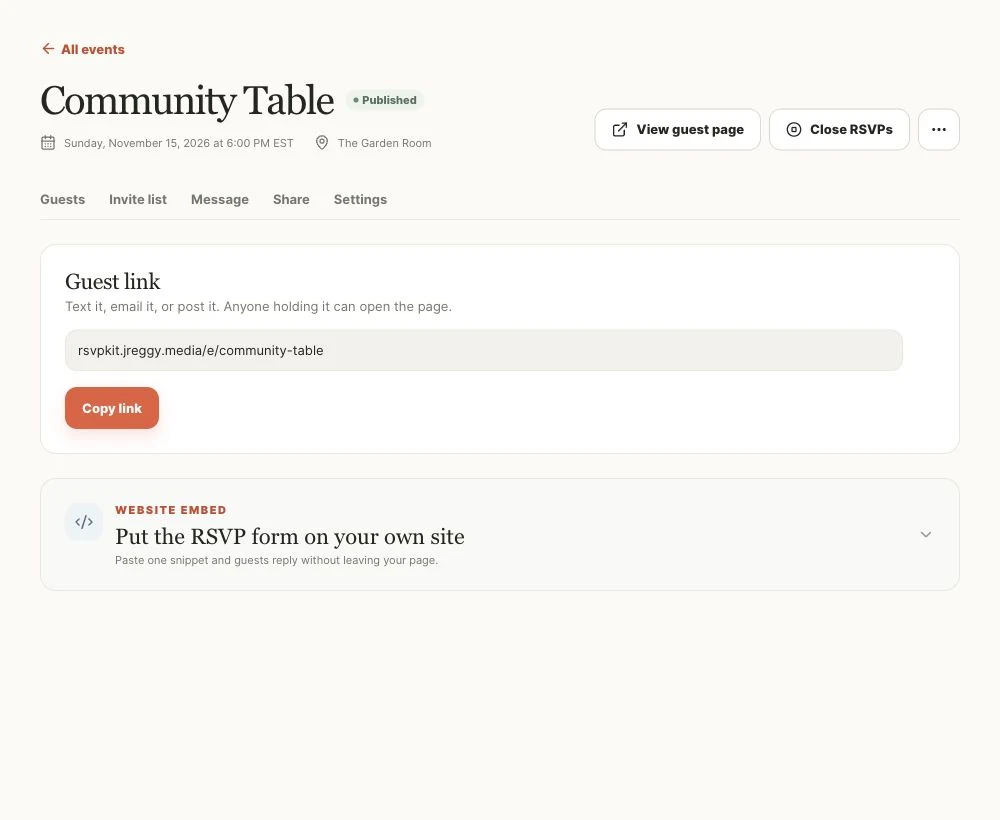
Publish your event, send personal invitations, or share a link. Your community gets a welcoming place to reply.
A little less admin. A lot more gathering.
Invite your community, make it easy to reply, and have the details ready when it’s time to gather. One calm place for your next dinner, workshop, or get-together.
Free during early access · No guest accounts needed
Actual product interface · Fictional sample data
More time for the people you’re bringing together.
ONE GATHERING, FROM INVITE TO READY
Follow a community dinner from the first invitation to the final headcount.
Explore the sample invitation (opens in a new tab)01 / Invite
Publish your event, send personal invitations, or share a link. Your community gets a welcoming place to reply.
02 / Reply
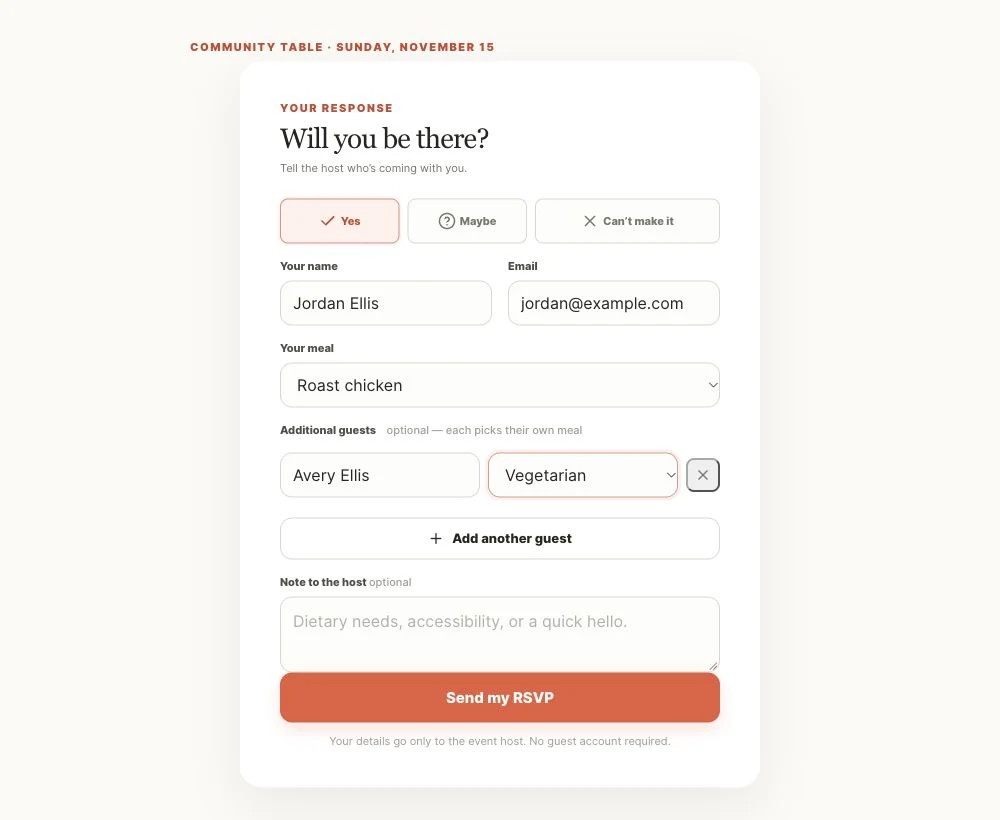
Jordan is coming, and bringing Avery. One reply covers both names and their meal choices. No guest account needed.
03 / Prepare
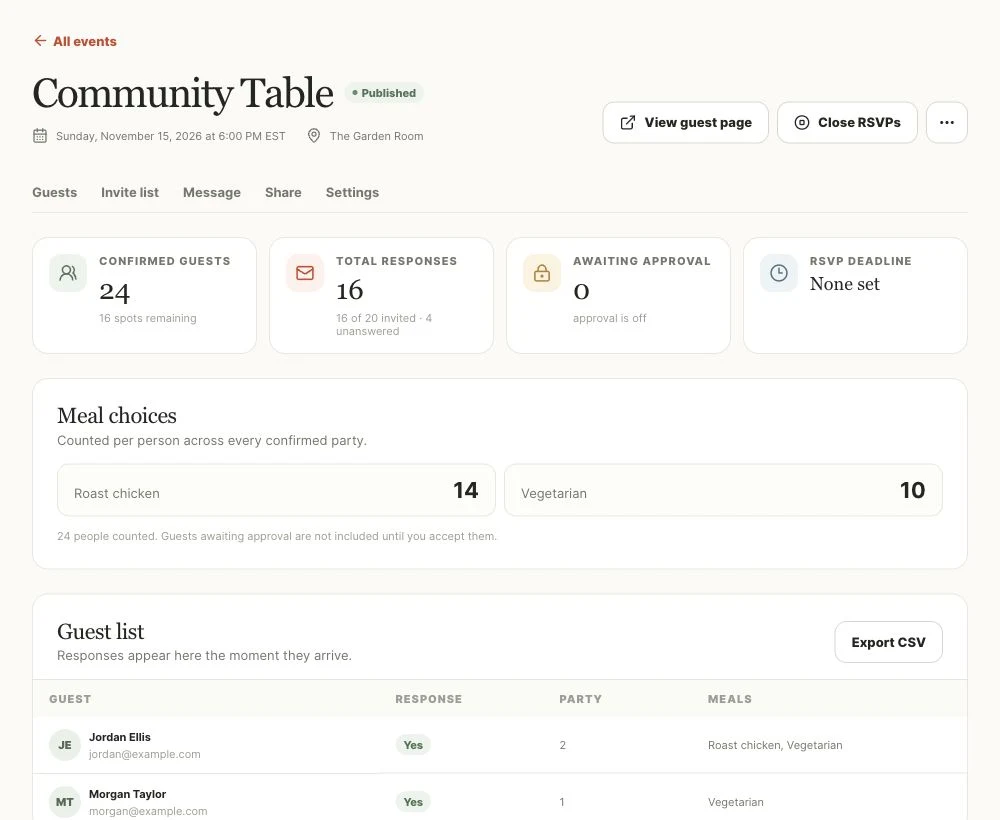
Their reply takes the headcount from 22 to 24. Meal totals stay together, and you can see the four invitations still waiting for an answer.
22 → 24 guests
Two more places at the table.
THE LITTLE DETAILS, TAKEN CARE OF
Useful tools for the work that happens before and after someone says yes.
Embed the RSVP form on your own site, or share your hosted event page.
Guests get a confirmation and private edit link. They can update their response without an account.
Send event updates to guests, or follow up with invitees who haven’t answered.
Export responses as CSV when it’s time to prepare, print, or share with your team.
Date not settled? Start with an availability poll and find out when people can make it.
FOR THE PEOPLE WHO BRING PEOPLE TOGETHER
Community dinners, classes, volunteer meetups, and workshops. For small organizations, churches, nonprofits, and the people making it happen.
They open your invitation and reply. No account to create or password to remember.
Confirmation emails include a private link to update or delete a response.
Preview an invitation page before creating an event of your own.
Open the sample invitation (opens in a new tab)YOUR NEXT GATHERING STARTS HERE
Create your account, name your workspace, and make your first event.
Create your first eventFree during early access
Need a hand? Get in touch.